
Built by PAC, for PAC
School fundraisers, from order to pickup.
Hot lunch, spirit wear, Halloween dance and volunteers, all in one app. Families order and pay right from their phones, pickup is a quick QR scan, and your PAC gets real-time reports and the payout.


Make PAC life easier
What your PAC stops juggling.
Six jobs your PAC used to do by hand. PACmeFUNd does them for you.
And a lot more:
- Planning calendar
- Project donations
- Multi-day events
- In-app refunds
- Optional card fee subsidy
- PAC handover
- and more
- Before: Rebuilding the same events every school year Now: Create a menu once, reuse it year after year
- Before: Emailing and posting on social media for every event Now: Push notifications straight to families' phones
- Before: Printing paper lists of names and orders for pickup Now: A QR scan by PAC or volunteer with their phone
- Before: Sending parents to a separate sign-up website Now: Volunteer sign-up right in the same app
- Before: Only working out totals and profit after the event Now: Real-time reports: gross, fees, net and payout
- Before: Collecting cash and making bank deposits Now: Families pay by phone, anywhere with internet
Expand your revenue
A new income stream for your school.
Paper vouchers are a traditional fundraiser, but never a money maker because of all the printing, handing out and keeping. Our electronic vouchers take all of that away. They are bought, kept and used in the app, and families can buy one as late as they walk into the store.
A win for everyone: local businesses get more visits, PACs raise money with little effort, and families enjoy a discount.
The paper way
- PAC takes orders and money
- Store prints the vouchers, while families wait
- PAC sorts them and sends them home
- Families keep them safe until they're used
Not any more. Now it's all handled in the app.
How it works
One event, start to finish.
After the initial menu setup, your PAC can build a fundraising event in minutes.
-
PAC
Set up your menu once
Add items, required and optional choices, prices and vendor details to your library. Reuse them every time.
-
PAC
Build the event
Pick a menu, dates and volunteer shifts if needed. Edit the draft as long as you like before publishing.
-
Parents
Order and pay by phone
Parents get a phone notification when an event opens, then order for each child and pay by card, Apple Pay or Google Pay.
-
Parents
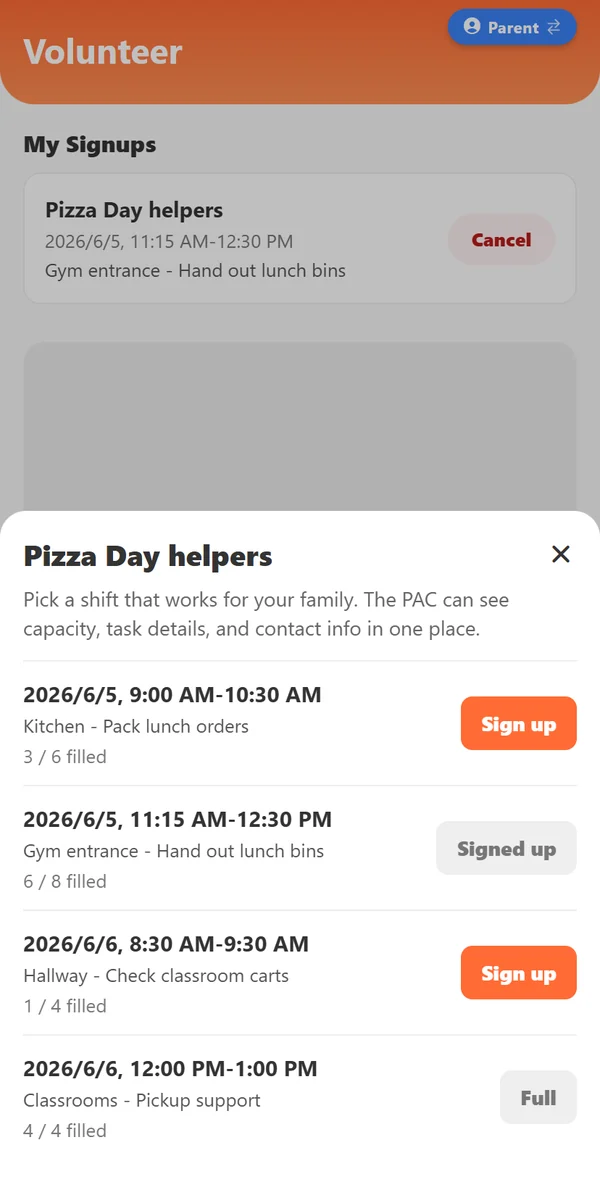
Claim a volunteer shift
When an event needs help, parents see each shift's time, task and spots left, and sign up in one tap.
-
Volunteers
Hand out with QR codes
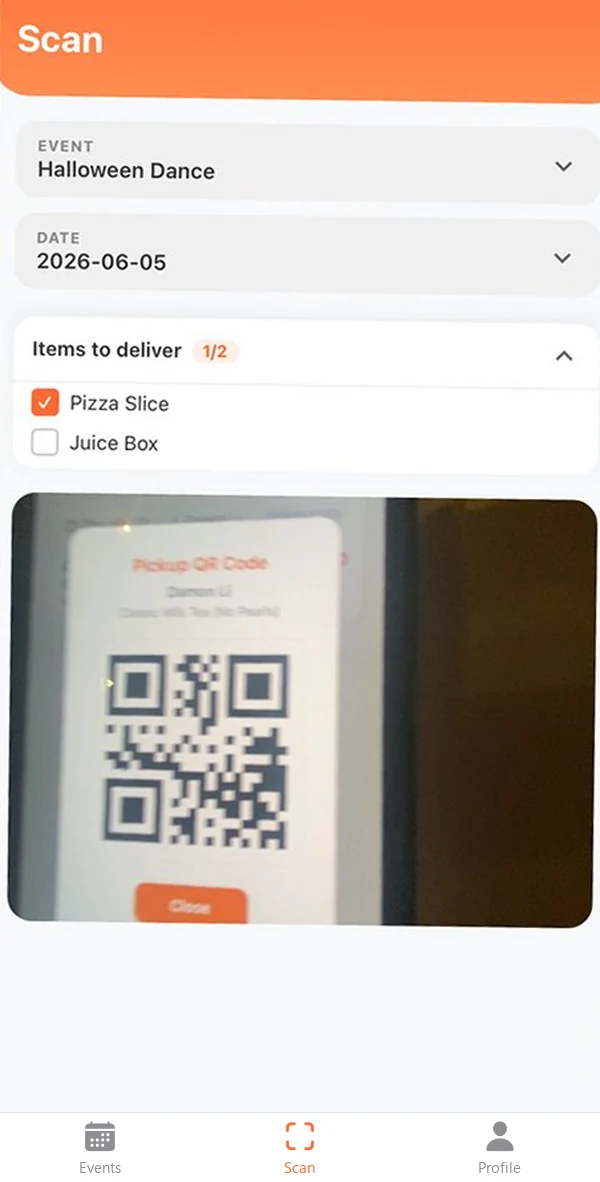
No more paper flipping! Parents present the QR code, and volunteers scan it with their phone to see the order details.
-
Get paid along the way
Net proceeds go out regularly by direct deposit, so your PAC often has the money before the event even starts.
Take a look
One app, three roles.
PACs, parents and volunteers each see what they need. One person can switch between roles without signing out.
Set it up once. Reuse it every year.
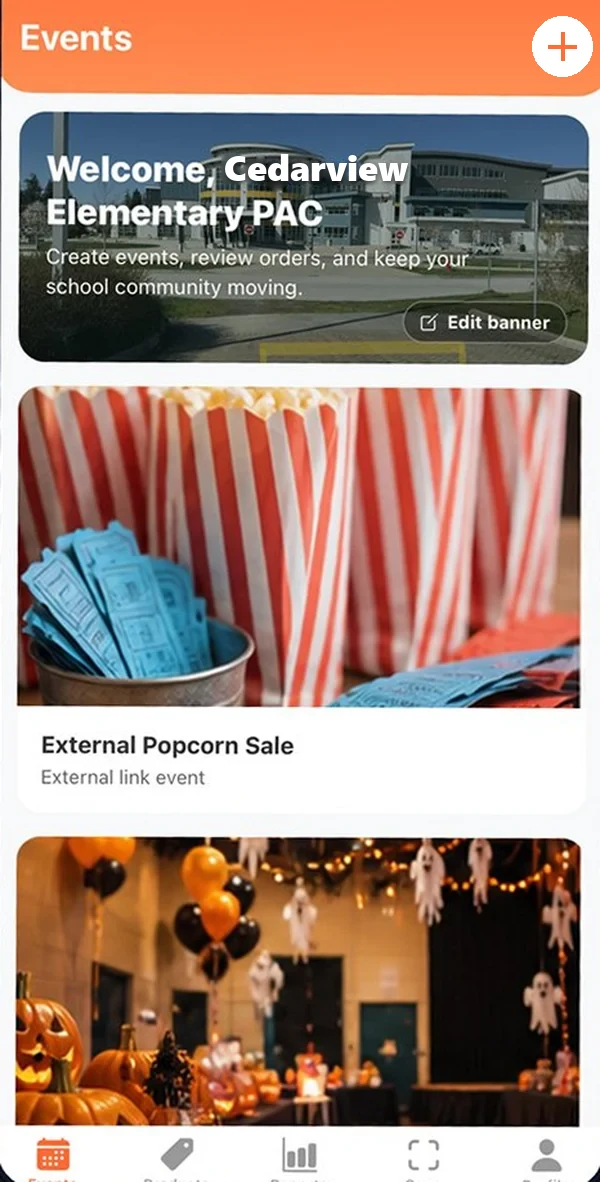
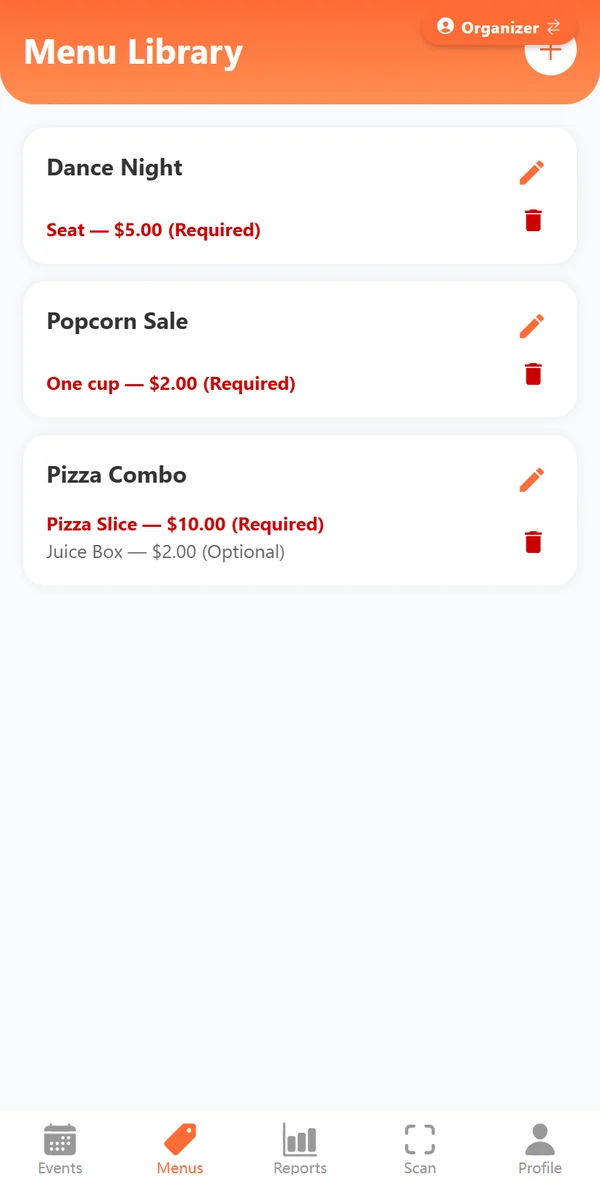
Everything your PAC used to juggle across emails, spreadsheets and sign-up sites, now in five tabs.
- Events: create events, keep drafts until they are ready, and see the school year in a calendar view
- Menus: your menu library with required and optional items, each linked to its vendor, reused across events
- Reports: real-time orders, gross, fees and net proceeds, and vendor order forms sent in one tap
- Scan: scan a parent's QR code at pickup and check off what's handed out
- Profile: payout details, co-organizers, classrooms, credits and cheques, and project donations
Every school event in one app.
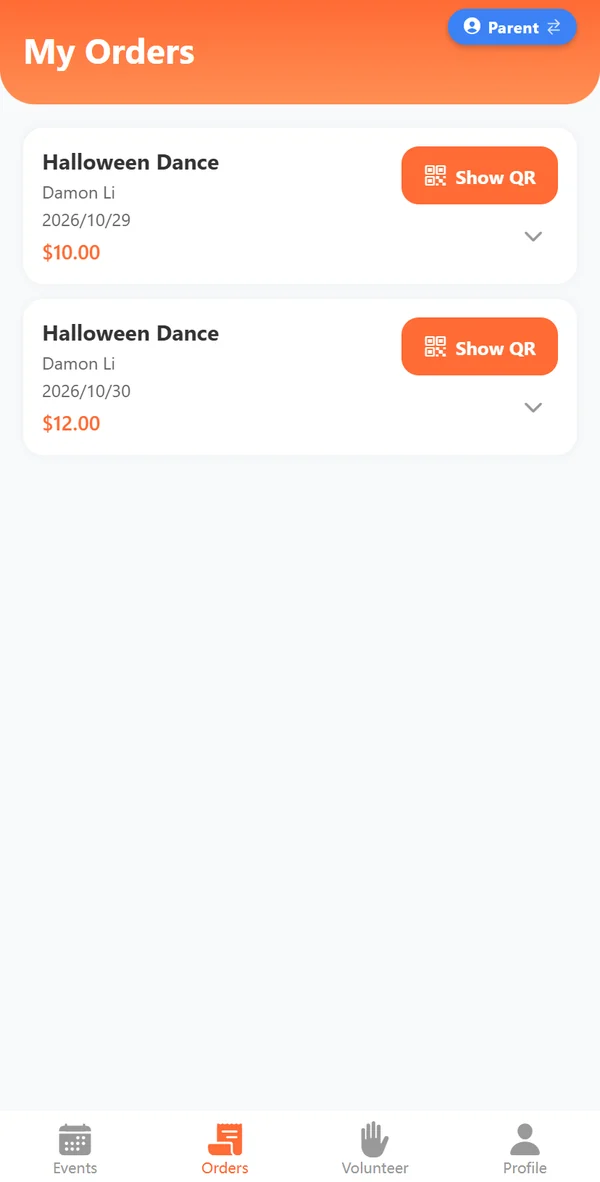
No more checking emails, websites and social media to find out what's coming up. Everything a parent needs, in four tabs.
- Events: every school event in one place, with a calendar view
- Orders: every order with its QR code, ready to show at pickup
- Volunteer: open shifts with the time, task and spots left, and sign up in one tap
- Profile: your students, their divisions and allergies, all kept on file
A faster line on pickup day.
No more paper flipping. Everything a volunteer needs is on their own phone, in three tabs.
- Events: the school's active events and their dates at a glance
- Scan: scan a parent's QR code to see the order details, then check off each item
- Profile: switch back to your parent account in one tap
Pricing
Clear about money.
Your PAC is handling families' money, so you should know exactly where every dollar goes.
Per transaction
- Card processing Stripe2.9% + $0.30* International cards add 0.8%.
- Payout fee Stripe0.3% Sends the money to your PAC's bank account.
- Platform fee PACmeFUNd
0.8%Pilot rateStandard rate
1.2%. The pilot rate is for schools that join during our pilot.
to get started
No setup fees and no monthly fees. Fees apply only when a family places an order.
Getting paid
Net proceeds are deposited to your PAC's bank account through Stripe. Organizers can see gross, fees, net and payout history for every event.
Our story
Built by PAC, for PAC.
For more than six years, we've served as treasurer of our school's PAC while working full time. Over those years, PACs have grown leaner and parents busier. Fewer volunteers carry more of the work, and they're just parents too. Many PACs are simply exhausted.
The problem isn't parents. They care as much as ever. But so much competes for their attention and time that no one can keep up with every email and website, or remember every date.
So we built PACmeFUNd to put school fundraising right at parents' fingertips. PACs skip almost all the repetitive work, parents find everything in one place, and fundraising gets to be fun again.
“Put the fun back in fundraising.”
Is there any cost to the school or PAC?
No setup or monthly fees. For each transaction, Stripe charges 2.9% + CAD $0.30 for card processing (plus 0.8% for international cards) and a 0.3% payout fee for sending the money to your PAC's bank account. PACmeFUNd charges a 1.2% platform fee to keep the service running. Schools that join during our pilot pay a 0.8% platform fee.
Do parents need to download the app?
We recommend it. The iPhone and Android app sends push notifications when events open and before they close, and keeps every order's QR code a tap away. Families without it can still order in any browser at order.pacmefund.com with the same account.
How does our PAC receive the money?
Net proceeds are deposited regularly to the PAC's bank account through Stripe. Organizers can track gross, fees, net and payout history in the app.
Can we run multi-day events?
Yes. An event can have several dates or times, and each one can have its own menu, items, prices and ordering cutoff.
Do volunteer shifts have to match the event dates?
No. Volunteer shifts have their own dates and times, so preparation, cleanup and other support tasks are easy to schedule.
What if our vendor has its own ordering website?
Create an external-link event. Parents are sent to the vendor's own ordering page, and PACmeFUNd still sends the notifications and reminders.
Can we run voucher fundraisers?
Yes. Voucher fundraisers now run entirely in the app: nothing to print, sort or send home. Families buy vouchers in the app and swipe them at the store while staff watch. See how it works.
Can more than one person manage our PAC's events?
Yes. Organizers can invite co-organizers by email, so the work can be shared.
How do refunds work?
Parents can cancel an undelivered order in the app until its cancellation deadline, which is shown with the order. PAC organizers can also issue refunds until the ordering cutoff. Card refunds go back to the original payment method, and any credit used is restored.
Put the fun back in fundraising.
Planning your next fundraiser? Tell us about your school and we'll help you set up your first event.